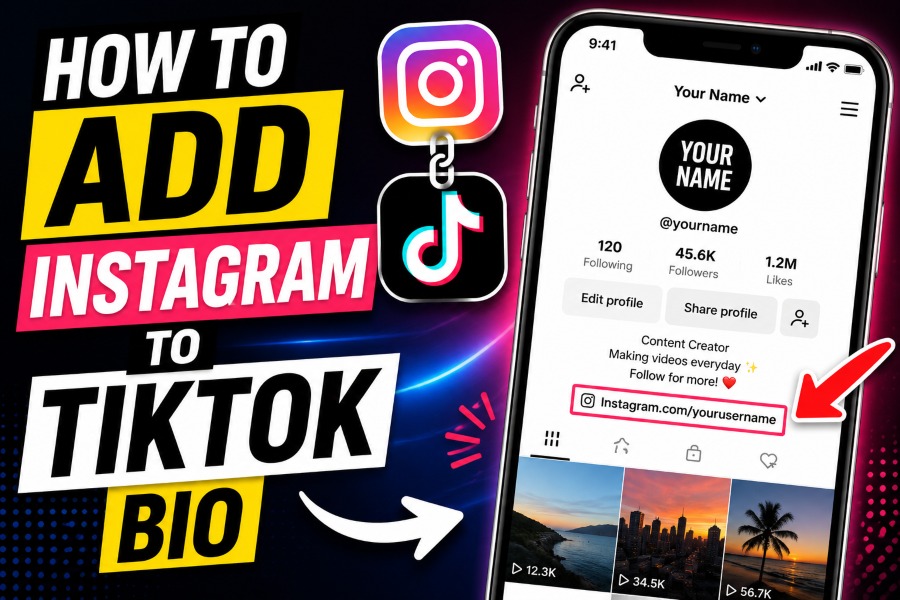
Knowing how to add Instagram to TikTok bio is one of the most useful skills for creators, influencers, brands, and small businesses looking to grow across multiple platforms.
TikTok helps you reach new audiences quickly, while Instagram gives followers a better place to connect with your content, photos, stories, and products.
When you connect both platforms correctly, you make it easier for people to trust your brand, explore more of your content, and engage with you beyond TikTok.
Why Connecting Instagram To TikTok Matters
Adding Instagram to your TikTok profile helps you turn short video viewers into long-term followers who engage with your content daily. Many users discover creators on TikTok first, then move to Instagram to see photos, highlights, reels, collaborations, and behind-the-scenes updates. This simple connection can increase profile traffic, improve audience retention, and help you build a recognizable online identity.
Creators who post regularly across platforms usually experience better engagement because followers can interact with content in multiple ways. Many bloggers and marketers also use smart writing tools to save time when publishing social media content, and platforms that generate high-quality AI blog articles faster can help creators maintain consistent posting schedules without sacrificing quality. If your TikTok account already receives decent views, connecting to Instagram can improve conversion rates and encourage users to stay connected with your content longer.
Requirements Before You Add Instagram To TikTok Bio
Before you start linking accounts, make sure your TikTok and Instagram apps are up to date. Older app versions sometimes cause login failures, syncing problems, or missing social profile options during setup. You should also confirm that your Instagram login details are correct before attempting the connection.
TikTok occasionally changes profile settings depending on account region, age, or account type. Some users may need to switch to a creator or business account before additional profile features become available. If you do not see the Instagram option immediately, updating your account settings often solves the issue quickly.
Your internet connection also plays an important role during the linking process. Weak networks can interrupt authorization requests between TikTok and Instagram, causing failed connections or endless loading screens. Using stable Wi Fi or mobile data improves your chances of completing the process smoothly.
How To Add Instagram To TikTok Bio Step By Step
The process of connecting Instagram to TikTok usually takes less than two minutes when your apps work correctly. First, open TikTok and tap the profile icon located at the bottom right corner of your screen. After entering your profile page, select “Edit Profile” to access your account customization options.
Inside the profile editor, look for the “Add Instagram” option under the social section. TikTok will redirect you to Instagram’s login page where you must enter your username and password carefully. Once you approve the connection request, TikTok automatically adds the Instagram icon to your profile.
Many content creators also study online publishing methods while building their profiles because understanding how content generators work can improve productivity across blogs, captions, and social campaigns. After linking Instagram successfully, return to your TikTok profile and confirm that the Instagram icon appears correctly beneath your bio section. Visitors can now tap the icon directly and move to your Instagram page instantly.
Common Problems When Linking Instagram To TikTok
Some users experience technical issues while trying to connect Instagram to TikTok for the first time. The most common problems include failed logins, endless loading screens, missing Instagram buttons, or disconnected accounts after linking. These issues usually happen because of outdated apps, cache errors, permission conflicts, or unstable internet connections.
If the Instagram option does not appear, switching from a private account to a creator account may help restore missing features. Logging out of both apps and signing back in can also refresh account permissions and remove temporary glitches. Clearing TikTok cache from your phone settings sometimes fixes profile editing errors immediately.
Modern creators often manage multiple platforms at once, which is why understanding what is an ai writing assistant and how is it beneficial can simplify content management and scheduling tasks across social channels. If your Instagram keeps disconnecting, remove the existing connection completely before relinking both accounts. Restarting your device afterward can also help stabilize the connection.
How To Add Instagram To TikTok Bio Without A Clickable Link
Some TikTok users cannot access clickable website features because of account restrictions or follower limitations. In this situation, you can still place your Instagram username manually inside your TikTok bio so viewers know where to find you. This method may not be as convenient as direct linking, but it still encourages cross platform engagement.
When adding a manual Instagram handle, keep the username short, readable, and easy to remember. Avoid adding unnecessary symbols, random numbers, or complicated punctuation because users may type the handle incorrectly. Consistency across social platforms also makes your online identity easier to recognize.
You can improve visibility by placing your Instagram username near the beginning of your bio instead of hiding it at the end. Short calls to action such as “Follow me on Instagram for tutorials” often encourage more profile visits. Many successful creators use this strategy before unlocking advanced TikTok profile features.
Best Bio Ideas After Adding Instagram To TikTok
After learning how to add Instagram to TikTok bio, the next step is optimizing the rest of your profile for conversions. Your bio should explain who you are, what type of content you create, and why someone should follow you on multiple platforms. Clear messaging usually performs better than overly complicated descriptions.
Strong bios often include:
- A short description of your niche
- A simple value statement
- A call to action
- One recognizable emoji
- Your Instagram mention or social focus
For example, fitness creators may mention workout tips, recipes, and daily motivation in one clean sentence. Beauty influencers usually highlight tutorials, product reviews, and skincare content to attract targeted audiences. Keeping your bio concise improves readability and helps users understand your content quickly.
Should You Use A Link In Bio Tool
A standard Instagram connection works well for most TikTok users, but advanced creators sometimes prefer link in bio tools for better customization. These tools allow you to place multiple links inside one landing page, making it easier to promote blogs, products, newsletters, stores, and social profiles together. Instead of sending followers to one destination, you guide them toward several valuable resources.
Many modern link in bio platforms also include analytics that track clicks, traffic sources, and user behavior. These insights help creators understand what content performs best across TikTok and Instagram audiences. Businesses frequently use this data to improve campaigns and increase conversion rates.
A customized bio page also looks more professional than posting random links individually. If you sell products, offer services, or publish educational content, a centralized landing page creates a cleaner user experience. This strategy is especially useful for creators trying to build long term audiences beyond social media algorithms.
How Business Accounts Benefit From Instagram Linking
Business accounts often gain more value from connected social profiles because they rely heavily on audience trust and brand visibility. Customers usually want to verify legitimacy before making purchases, booking services, or subscribing to offers. A linked Instagram account helps establish credibility by showing additional content, testimonials, and community engagement.
Brands also benefit from stronger cross platform marketing opportunities when TikTok and Instagram work together. Reels, stories, tutorials, and product demonstrations can support TikTok campaigns while improving overall reach. Consistent branding across both platforms helps users remember your business faster.
Research from DataReportal shows that social media users spend more than two hours daily on social platforms worldwide. This behavior means your audience likely uses both TikTok and Instagram regularly throughout the day. Connecting accounts allows you to capture attention across multiple touchpoints instead of relying on one platform alone.
Tips To Increase Instagram Followers From TikTok
Simply connecting Instagram to TikTok is not enough if you want meaningful growth across both platforms. You should actively encourage TikTok viewers to continue engaging with your content on Instagram through strategic calls to action. Mentioning exclusive content on Instagram often motivates viewers to follow immediately.
Good examples include:
- Behind the scenes content
- Product previews
- Photo tutorials
- Giveaways
- Daily updates
- Exclusive stories
Consistency matters more than viral success when building loyal social audiences. Posting regularly across both platforms creates familiarity and encourages repeat engagement from followers. Users who trust your content are far more likely to support future projects, purchases, and recommendations.
Mistakes To Avoid When Adding Instagram To TikTok Bio
One major mistake is using inconsistent usernames across TikTok and Instagram profiles. Different usernames confuse users and make your accounts harder to find, especially when people search manually after seeing your videos. Keeping names similar strengthens your branding and improves recognition.
Another common issue is neglecting your Instagram profile after adding it to TikTok. If users click your Instagram icon and see outdated content, poor quality photos, or incomplete information, they may leave immediately. Your Instagram profile should feel active, polished, and relevant to your TikTok audience.
You should also avoid stuffing your bio with too many emojis, hashtags, or unnecessary text. Overcrowded bios reduce readability and distract users from your main message. Simple profiles often convert visitors more effectively than complicated designs.
How To Optimize Your TikTok Profile For More Clicks
Your profile picture, username, bio, and content style all influence whether users click your Instagram link. Clear profile images usually perform better because viewers recognize creators quickly while scrolling through videos. Strong branding improves memorability and encourages profile visits.
Your pinned videos should also support your profile goals by showcasing your best or most informative content first. Educational videos, transformations, tutorials, and relatable clips often generate more profile traffic than random uploads. High-performing videos naturally increase curiosity about your Instagram page.
Creators who use captions strategically also significantly improve engagement rates. Questions, hooks, and short storytelling techniques encourage viewers to watch longer and interact more frequently. Better engagement often leads to increased profile clicks and stronger follower growth.
Final Thoughts:
How to add Instagram to TikTok bio becomes much easier once you understand the steps, common problems, and profile optimization strategies involved. A properly connected Instagram account helps you build stronger audience relationships, improve credibility, and increase traffic across multiple social platforms. Whether you are a creator, entrepreneur, influencer, or small business owner, linking both platforms creates a smoother experience for your followers.
You should also remember that profile growth depends on consistency, quality content, and clear branding across every platform you use. Updating your bio regularly, posting engaging content, and encouraging cross platform interaction can significantly improve long term growth. When used correctly, a simple Instagram connection can become one of the most effective tools for expanding your online presence.