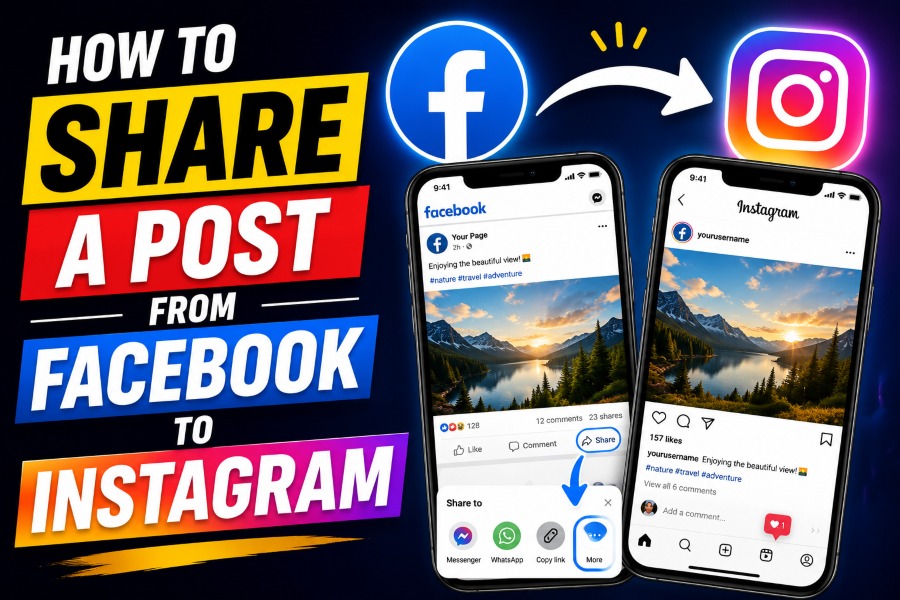
How to share a post from Facebook to Instagram is a common question among creators, brands, and small business owners trying to simplify content publishing across multiple social platforms.
While Meta has made cross-posting easier than before, many users still struggle with missing settings, broken account connections, poor formatting, and inconsistent engagement between Facebook and Instagram posts.
This guide explains the exact steps, practical strategies, and proven optimization methods you need to share posts correctly while improving visibility, reach, and audience interaction on both platforms.
Understand How Facebook And Instagram Cross Posting Works
Facebook and Instagram are connected through Meta, which means you can publish content across both platforms from one dashboard when your accounts are linked properly. Many marketers also rely on tools that generate superior AI articles for blogs faster because publishing consistent social content becomes easier when captions, ideas, and post structures are organized ahead of time. The biggest limitation you should understand is that not every Facebook post format can automatically transfer to Instagram, especially older posts, shared links, and certain media combinations.
Instagram favors visual-first content, while Facebook supports mixed media, clickable links, and longer text updates that do not always display well after cross-posting. You should always preview your captions before publishing because hashtags, line spacing, emojis, and link formatting may appear differently on Instagram. Meta Business Suite now handles most cross-platform publishing features, so learning that dashboard will make your workflow much smoother.
Connect Your Facebook And Instagram Accounts Properly
The first step is connecting your Facebook Page to your Instagram professional account through Meta Accounts Center or Meta Business Suite. You should avoid using a personal Facebook profile because Instagram sharing features work best when connected to a business or creator page. Once both accounts are linked, enable the “Share Your Posts Across Profiles” setting so future posts can automatically publish to Instagram.
Open Facebook, go to Settings, select linked accounts, and confirm that the Instagram account connected is the correct one for your business or brand. You should also confirm that Instagram permissions are fully enabled because incomplete permissions often remove the Instagram publishing option later. Logging out and reconnecting both platforms can also fix hidden syncing problems that prevent successful publishing.
Common Connection Problems
Many users lose the Instagram publishing option after changing passwords or switching account types on Instagram. You can usually fix this issue by reconnecting your Instagram profile inside Meta Business Suite and refreshing account permissions manually. Clearing your mobile app cache can also restore missing cross-posting features.
How To Share A Post From Facebook To Instagram Automatically
How to share a post from Facebook to Instagram automatically becomes much easier after both accounts are linked correctly inside Meta Business Suite. Many content creators improve publishing consistency by studying resources about how content generators work how to use them effectively because automated workflows reduce repetitive editing and save time across multiple platforms. Automatic sharing works best when your content already matches Instagram formatting standards before publishing on Facebook.
Create a new Facebook Page post, upload a vertical or square image, and look for the Instagram toggle before clicking publish. Once the toggle is enabled, the same content will appear on Instagram at the same time without requiring a second upload. You should still customize captions slightly because Instagram users respond better to concise captions, stronger hooks, and relevant hashtags.
Automatic publishing works especially well for product announcements, promotional graphics, event reminders, and branded visuals with minimal external links. Instagram users rarely click links inside captions, so placing important links in your Instagram bio usually produces better results. Consistent scheduling also helps both algorithms understand your publishing behavior and audience engagement patterns.
Best Practices For Better Engagement On Both Platforms
Cross-posting should never mean posting identical content without platform-specific adjustments because Facebook and Instagram audiences behave differently. Some marketers refine their workflow by learning what is an ai writing assistant and how is it beneficial since shorter captions, clearer messaging, and faster content adaptation improve engagement across social channels. The goal is to maintain brand consistency while optimizing presentation for each audience separately.
Instagram performs better with shorter captions, strong visuals, vertical images, and strategic hashtag placement that feels natural instead of excessive. Facebook allows more detailed context, clickable links, and conversation-driven posts that encourage comments and shares. You should also use high-resolution visuals because blurry or cropped images reduce performance significantly on Instagram feeds.
According to several social media marketing studies, posts with visually optimized content can increase engagement rates by more than 30 percent across visual platforms. Instagram Reels currently receive stronger organic reach compared to static image posts, especially when paired with trending audio and concise text overlays. Facebook still performs well for community-driven discussions, local business engagement, and link-based content distribution.
Share Different Content Types Correctly
Not every Facebook content format behaves the same way when transferred to Instagram, so understanding format compatibility matters greatly. Single-image posts usually publish smoothly, while posts containing external links, reshared content, or unsupported aspect ratios may fail during the transfer process. Videos, Reels, Stories, and carousel posts often require slightly different publishing settings inside Meta Business Suite.
Reels work best when uploaded vertically in a 9:16 format with subtitles and attention-grabbing openings during the first few seconds. Stories should remain concise because most users quickly skip lengthy story sequences without interactive elements or engaging visuals. Carousel posts perform strongly on Instagram because swipe-based interaction encourages longer viewing time and stronger algorithmic signals.
Ideal Visual Dimensions
Square images sized at 1080 x 1080 pixels work reliably across both platforms without cropping issues. Vertical images with a 4:5 aspect ratio also perform well because they occupy more screen space on Instagram feeds. Consistent branding elements such as colors, fonts, and image styles help users recognize your content instantly.
Why Some Facebook Posts Fail To Publish On Instagram
One of the biggest frustrations users face is clicking publish only to discover the post never appeared on Instagram afterward. This issue usually happens because the content format violates Instagram publishing rules, the accounts disconnected silently, or Meta Business Suite encountered a temporary syncing problem. Posts containing excessive text overlays, unsupported media dimensions, or restricted music tracks may also fail automatically.
Instagram does not support every type of Facebook link preview, which means some posts require manual adaptation before publishing successfully. You should also avoid editing the post repeatedly while publishing because synchronization delays sometimes interrupt the transfer process entirely. Testing posts with simple image formats first can help you identify whether the issue comes from account permissions or media formatting.
Internet connectivity problems can also interrupt publishing between Facebook and Instagram without displaying a clear error message immediately. Updating both apps regularly reduces compatibility issues because Meta changes publishing systems frequently throughout the year. Scheduling content through Meta Business Suite on desktop devices can sometimes provide better reliability than mobile-only publishing.
Use Meta Business Suite For Better Control
Meta Business Suite gives you centralized control over Facebook and Instagram publishing, scheduling, messaging, and analytics. Instead of manually posting on each platform separately, you can create one campaign and optimize it before distributing it across connected accounts. This system helps businesses maintain consistent branding while saving time on repetitive tasks.
Inside Meta Business Suite, you can preview how posts will appear on both platforms before publishing them publicly. You can also schedule posts ahead of time, track engagement
statistics, and compare audience interaction between Facebook and Instagram. These analytics help you understand whether your audience prefers videos, static images, Stories, or Reels.Many businesses increase efficiency significantly after switching from manual posting to centralized scheduling systems. Organized publishing calendars also reduce rushed posting decisions that often hurt engagement quality. Consistency matters more than volume when building sustainable audience growth across social platforms.
Tips For Writing Better Cross Platform Captions
Captions influence engagement heavily because they shape how users react emotionally and practically to your content. Facebook users often enjoy informative or discussion-based captions, while Instagram users respond better to concise storytelling and emotionally engaging hooks. Adapting captions slightly for each audience creates better performance without requiring completely different content.
You should place the strongest message within the first sentence because users decide quickly whether to continue reading. Emojis can improve readability when used moderately, but excessive emoji use can reduce professionalism and distract from the main point. Questions also encourage interaction because they invite users to comment instead of scrolling away immediately.
Bullet points work well on Facebook because they organize information clearly for longer reading sessions. Instagram captions benefit from shorter sentence structures and cleaner spacing that improves mobile readability. Testing different caption lengths over time helps you discover what resonates most with your specific audience.
Should You Always Cross Post Everything
Cross-posting saves time, but not every post deserves publication across both platforms simultaneously. Instagram users usually expect visually polished content, while Facebook users may tolerate more casual updates, external links, and community-focused discussions. Publishing identical content everywhere without adaptation can reduce authenticity and lower engagement quality.
You should evaluate whether the content fits Instagram naturally before enabling automatic sharing. Educational graphics, behind-the-scenes visuals, product showcases, and motivational posts usually work well across both platforms. Highly text-based Facebook updates or link-heavy promotional posts often perform poorly on Instagram.
Selective cross-posting usually produces stronger results than forcing every piece of content onto every platform. Quality matters more than quantity because algorithms reward engagement consistency rather than endless publishing frequency. Understanding audience intent helps you decide which content deserves broader distribution.
Final Thoughts
How to share a post from Facebook to Instagram becomes much easier when you understand the limitations, formatting rules, and publishing systems behind Meta’s connected platforms. The best approach is linking your accounts properly, using Meta Business Suite for scheduling, optimizing visuals for Instagram, and adapting captions slightly for each audience instead of duplicating everything blindly. When you combine automation with thoughtful content formatting, you improve efficiency while maintaining stronger engagement across both platforms.
Many users fail because they treat cross-posting as a shortcut instead of a strategic publishing method designed around audience behavior. Testing different post formats, checking analytics regularly, and refining captions over time will help you achieve more consistent performance. With the right workflow, you can save time, maintain visibility, and build stronger engagement on Facebook and Instagram simultaneously.