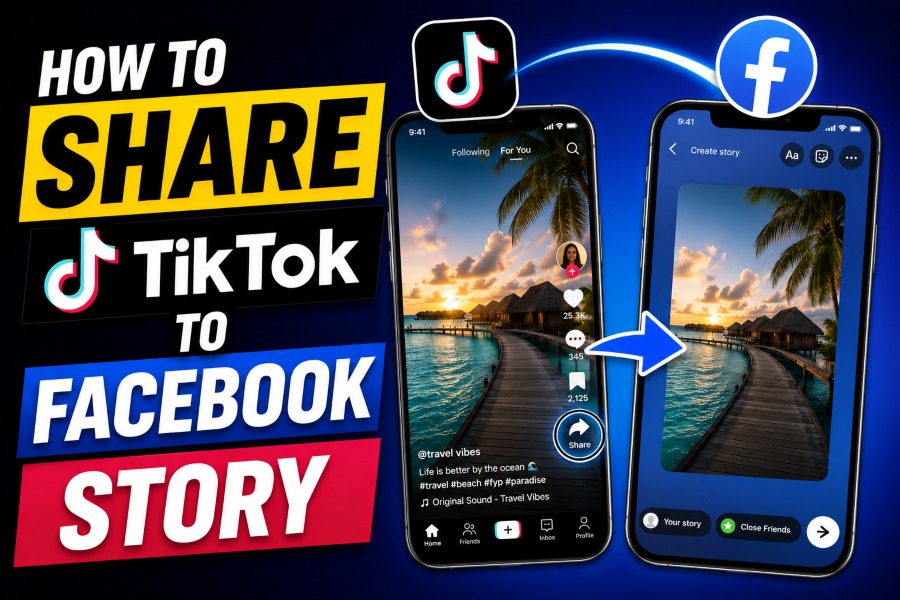
How to share a TikTok to Facebook story is one of the most searched social media questions, as creators seek faster ways to grow their reach across platforms. When you repost engaging TikTok clips to Facebook Stories, you increase visibility, attract new viewers, and keep your content active without recording fresh videos every day.
This guide explains the most reliable sharing methods, common mistakes to avoid, and practical tips to help your videos look professional and gain more engagement from a USA audience.
Why Cross-Sharing TikTok Videos Matters
Sharing TikTok videos to Facebook Stories helps you reach people who may never open TikTok during the day. Many Facebook users consume short-form videos directly in Stories, making reposting a smart strategy for creators, brands, and small businesses looking to increase visibility online. Your content also stays active longer because one video can continue attracting engagement across multiple platforms.
Creators who publish videos on several platforms usually gain stronger audience recognition over time. Many content teams also use tools that generate high-quality AI articles for blogs faster, as consistent publishing improves visibility across search engines and social platforms alike. When your audience repeatedly sees your content on TikTok and Facebook, they become more familiar with your style and are more likely to interact with future posts.
Facebook Stories are designed for quick viewing, which makes TikTok clips a natural fit for the format. A short entertaining video can drive profile visits, shares, reactions, and direct messages within a few hours after publishing. This simple sharing strategy also saves time because you do not need to create separate content for every platform.
How To Share A TikTok To Facebook Story Directly
The easiest method is the direct sharing feature in TikTok, which only takes a few taps to complete. Open TikTok, select the video you want to repost, tap the share icon, and choose Facebook from the available sharing options. After Facebook opens, select “Your Story” and publish the video immediately.
This direct method works best for public TikTok videos that allow external sharing permissions. If the video creator disabled downloads or sharing, Facebook may only display a clickable TikTok link instead of an embedded video preview. That is why many creators prefer saving the video first before uploading it to Facebook Stories manually.
Direct sharing is useful when speed matters more than customization options. You can repost trending clips within seconds while the topic is still active online. Many influencers use this approach daily because fast publishing increases the chance of catching the audience’s attention before trends disappear.
Save The TikTok Video Before Uploading
Downloading the TikTok video first gives you more control over quality, formatting, and editing. Tap the share icon in TikTok, then choose “Save Video” to save the clip to your phone before opening Facebook. Once the video appears in your gallery, upload it directly to Facebook Story from the Facebook app.
This method often creates a smoother viewing experience because Facebook treats the upload like a native Story video. Many creators who study how content generators functions understand that optimized presentation improves audience retention across digital platforms. Native uploads also autoplay properly, which helps your Story look more professional and polished.
Manual uploading lets you trim unnecessary sections before publishing. You can add stickers, captions, music, emojis, and overlays that better match your Facebook audience. This extra customization helps your content feel more natural, rather than looking like a rushed repost from another app.
Best Video Settings For Facebook Stories
Facebook Stories look better when your video meets the required dimensions and format. Vertical videos with a 9:16 ratio usually perform best because they fill the smartphone screen without black bars or awkward cropping. TikTok videos already use this format, making them suitable for Facebook Stories with minimal editing.
High-quality uploads improve watch time and reduce the chance of blurry playback. Facebook automatically compresses videos, so creators should upload clips with clear lighting, sharp visuals, and readable captions whenever possible. Avoid exporting low-resolution files because compression can make them look even worse after publishing.
Captions are especially important because many users watch Stories without sound during work hours or public transportation. Short text overlays help viewers understand the message quickly without having to turn on audio. This simple adjustment can improve retention and significantly increase reactions.
Remove Watermarks For Better Reach
Many creators remove TikTok watermarks before reposting videos to Facebook Stories because clean videos look more professional. Facebook may still distribute watermarked clips, but some creators believe native-looking content receives stronger reach and engagement. A clean upload also prevents distracting logos from covering important parts of the video.
Several creators who research what is an AI writing assistant and how is it beneficial understand that presentation quality strongly affects audience perception online. The same principle applies to video publishing because cleaner visuals often create a more polished experience for viewers. Removing unnecessary distractions helps people focus entirely on your message or entertainment value.
You should still respect copyright rules and creator ownership before reposting another person’s content. If the video belongs to someone else, ask for permission whenever necessary before uploading it to Facebook Stories. Ethical reposting practices help maintain trust and prevent unnecessary disputes online.
Common Problems When Sharing TikTok To Facebook
Sometimes Facebook Stories fail to upload correctly because of outdated apps or account permission issues. Updating TikTok and Facebook to the latest versions often fixes most sharing problems quickly. Restarting your device can also refresh background processes that interfere with uploads.
Private TikTok accounts may block external sharing completely, which prevents Facebook from displaying the video properly. If your own account settings are too restrictive, switch the video privacy to public before attempting to share it again. This small adjustment usually resolves most visibility problems within minutes.
Internet connection quality also affects Story uploads more than many users realize. Weak Wi Fi signals can interrupt the transfer process and reduce video quality during publishing. Using stable mobile data or strong broadband internet usually creates smoother uploads and faster processing times.
Tips To Increase Engagement On Facebook Stories
Strong engagement starts with choosing videos that create immediate curiosity during the first few seconds. Fast hooks, expressive captions, and visible action usually perform better than slow introductions or long explanations. Viewers decide quickly whether to continue watching or skip to another Story.
Posting during active hours can improve reactions and Story completion rates significantly. Many USA audiences are most active during lunch breaks, evening hours, and weekends when people spend more time scrolling through social media. Testing different posting times helps you identify patterns that work best for your audience.
Interactive Story elements can also increase audience participation naturally. Polls, emoji sliders, short questions, and reaction prompts encourage viewers to interact instead of passively watching. Higher interaction levels often help your Stories appear more frequently in follower feeds.
Should You Share TikTok Videos Automatically
Automatic cross posting tools can save time for creators who publish content every day. These tools help distribute videos across several platforms without requiring manual uploads repeatedly throughout the week. Consistency becomes easier when your workflow is streamlined properly.
However, automatic reposting sometimes creates formatting issues or low-quality uploads on Facebook Stories. Manual uploads usually provide better control over captions, cropping, stickers, and visual presentation. Many experienced creators still prefer reviewing every Story individually before publishing.
Automation works best for brands managing large amounts of content across multiple platforms. Smaller creators may benefit more from customizing each Story manually because audience behavior differs between TikTok and Facebook. Adjusting presentation styles for each platform often improves long-term engagement.
Privacy And Safety Tips Before Sharing
Before reposting any TikTok video, confirm that your Facebook Story privacy settings match your goals. Public Stories help maximize reach, while friends-only Stories create a more controlled viewing environment. Choosing the right privacy option prevents accidental oversharing.
Location tags, visible usernames, and background details may reveal more information than intended during reposting. Review the video carefully before publishing to avoid inadvertently exposing private details. This extra step is especially important for creators who film inside homes, offices, or schools.
You should also avoid sharing copyrighted music clips that may trigger restrictions on Facebook. Certain audio tracks licensed for TikTok may not carry over properly to Facebook Stories. Replacing copyrighted music with Facebook-approved sounds can reduce the risk of muted or blocked uploads.
Conclusion
How to share a TikTok to Facebook story becomes much easier when you understand the best sharing methods and optimization techniques. Direct sharing is fast, while downloading the video first gives you more control over quality, formatting, and customization options before publishing on Facebook Stories. When you combine strong visuals, correct Story settings, engaging captions, and smart timing, your reposted TikTok videos can attract more viewers and generate stronger engagement across both platforms.
The most effective strategy depends on your goals, audience, and preferred workflow as a creator. Some users prioritize speed and convenience, while others focus on presentation quality and detailed customization before publishing each Story. By testing different sharing approaches consistently, you can discover which method delivers the best reach, reactions, and audience growth for your content over time.